iOS — Available Now

Every trip,
in one place.

旅のすべてを、ひとつに。

Flights, hotels, restaurants. Booking confirmations arrive scattered — Tripfy gathers them with one tap from the share sheet. AI reads the details and lays everything out on a timeline.

Download on theApp Store
Available on the App Store
One-tap import
From the share sheet
Works offline
Originals saved
AI timeline
Sorted automatically
🧳
Tripfy
Every trip, in one place.
Imported ✈️ NH849 Tokyo → Bangkok Sat, Dec 20 · 10:45 AM
🏨 Hotel · 3 nights Added to your timeline
How it works

Just share
your booking.

No copy-paste, no manual entry. Hand your confirmation to Tripfy and you're done.

01
📤

Share your booking

Send a confirmation email or PDF to Tripfy from the share sheet. Email forwarding works too.

02

AI reads the details

Flight numbers, dates, booking references, addresses. AI extracts exactly what your itinerary needs.

03
🗓️

Your timeline, sorted

Flights, hotels, and restaurants fall into place on a chronological timeline. Your whole trip, at a glance.

Features

From planning to boarding,
one app.

🧾

Keep the original

Imported emails and PDFs are stored in full. Open booking references and QR codes mid-flight or off the grid.

✉️

Forward to import

Forward booking emails to your personal Tripfy address. Reservations made on your computer land in your itinerary too.

AI day plans

AI suggests places to go in the gaps between bookings, shaping each day into a plan that actually flows.

Packing lists

Auto-generated packing lists matched to your destination and season. Check things off for the whole family.

Countdown widget

"X days until your next trip" right on your home screen. The anticipation is part of the journey.

👨‍👩‍👧

Travel together

Share itineraries with family via iCloud. No more "which hotel was it again?" messages.

Screens

Your whole trip,
on one screen.

See what Tripfy feels like, on real screens.

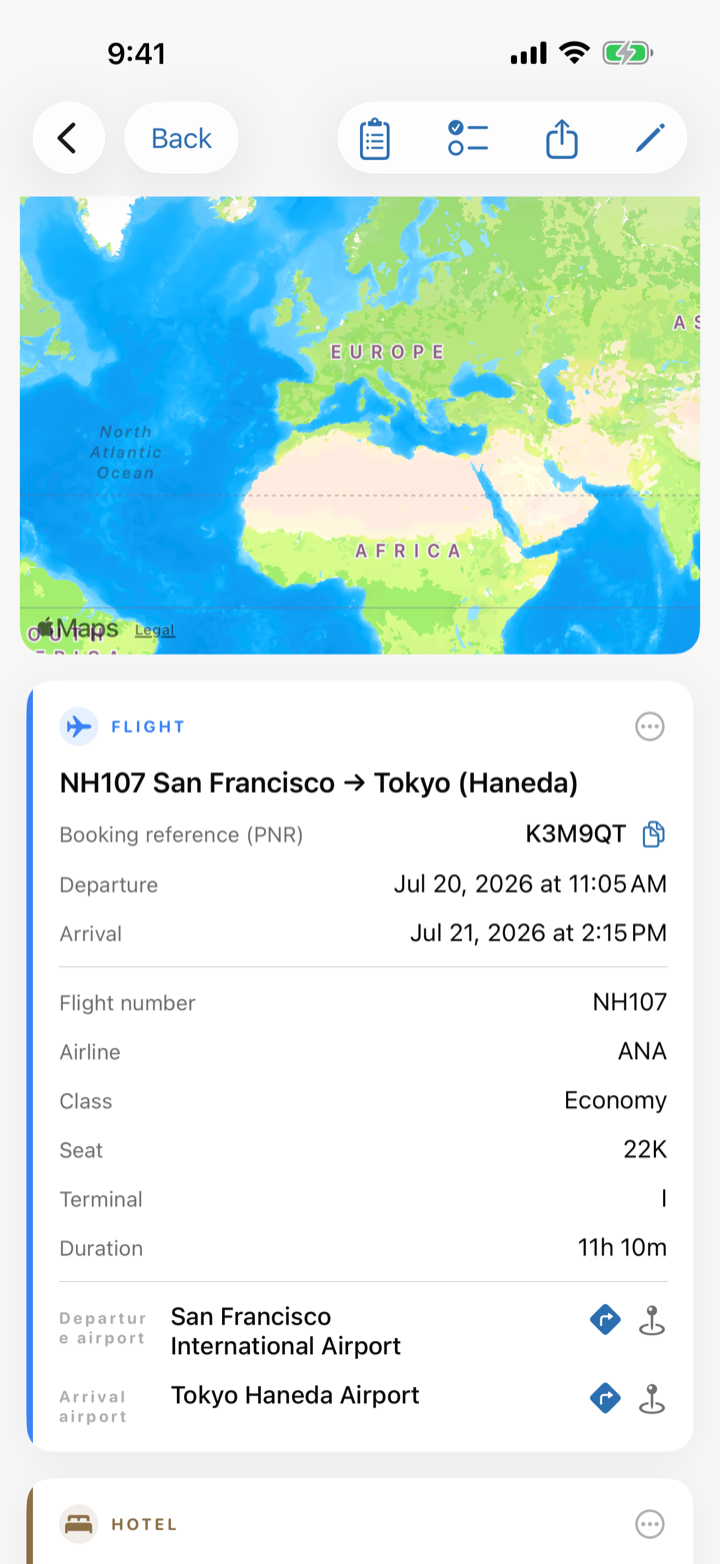
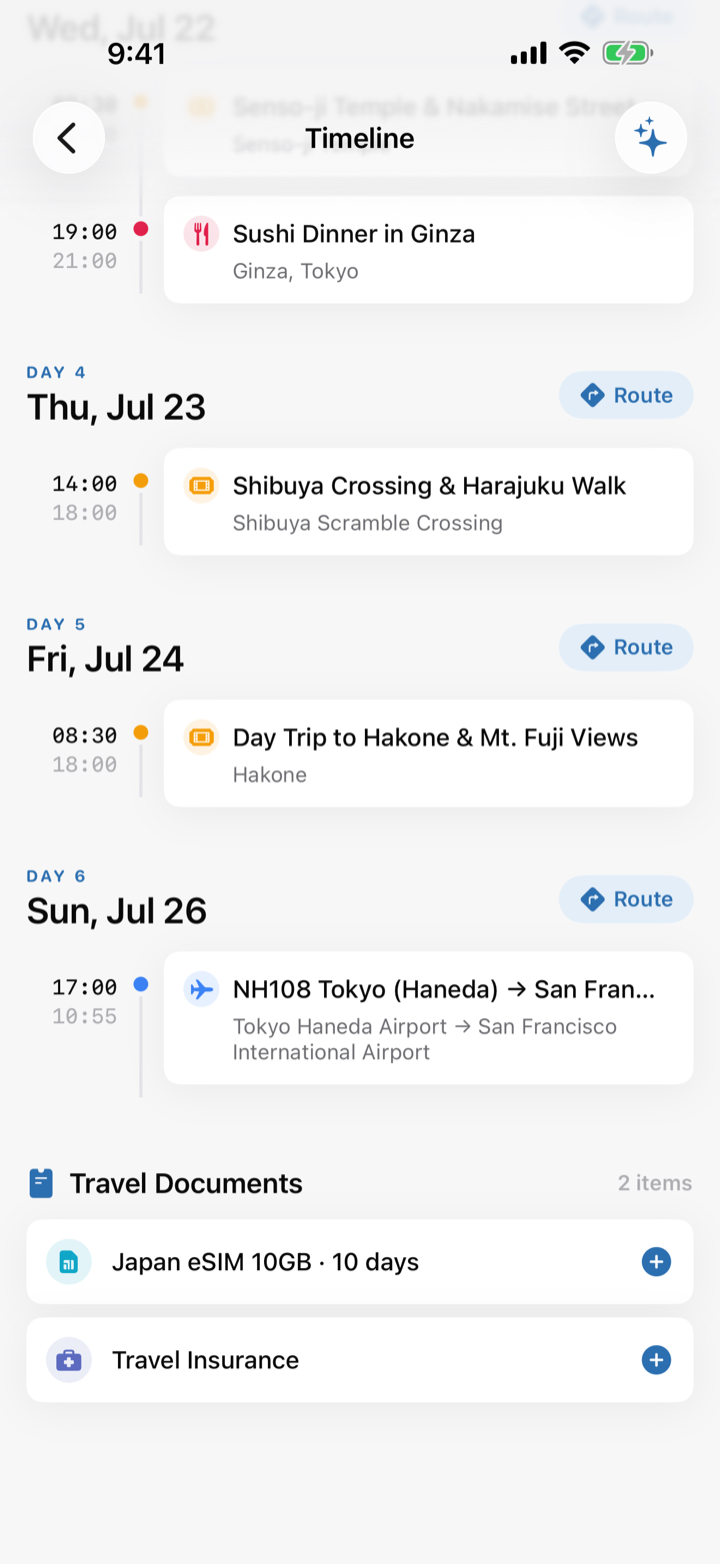
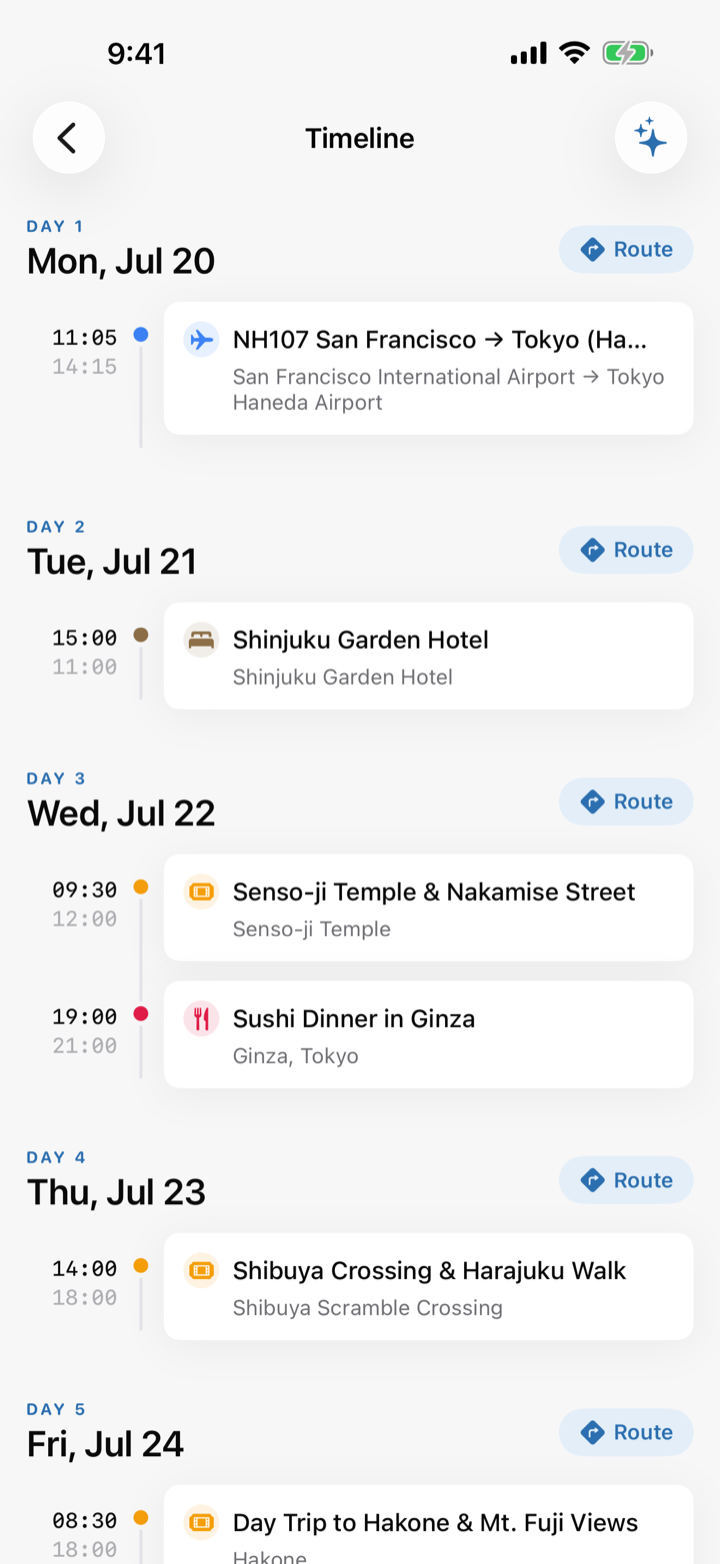
Tripfy timeline screen
01. Auto-sorted timelineFlights & hotels in order
Tripfy trip map screen
02. Every stop on the mapColor-coded by category
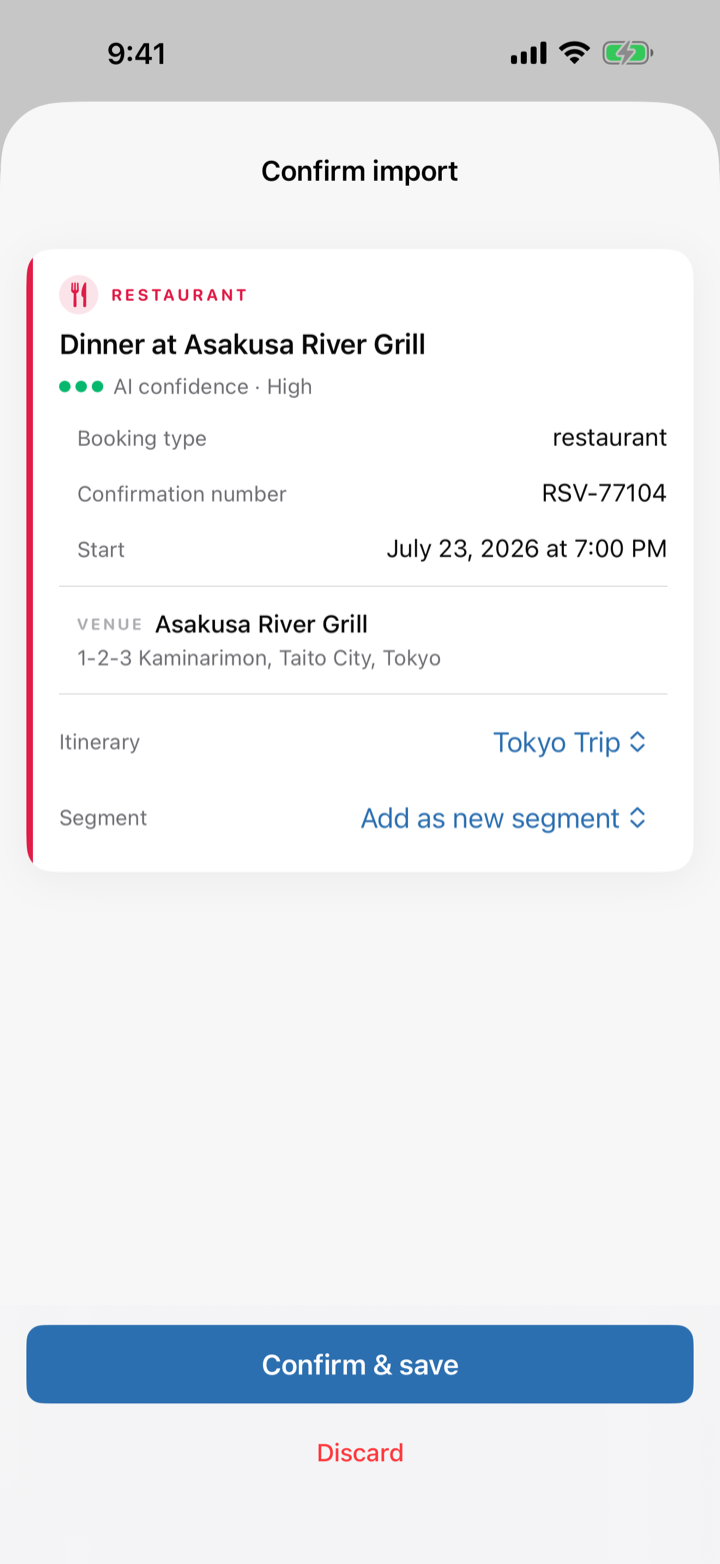
Tripfy AI import review screen
03. Review AI importsOne tap to add to your trip
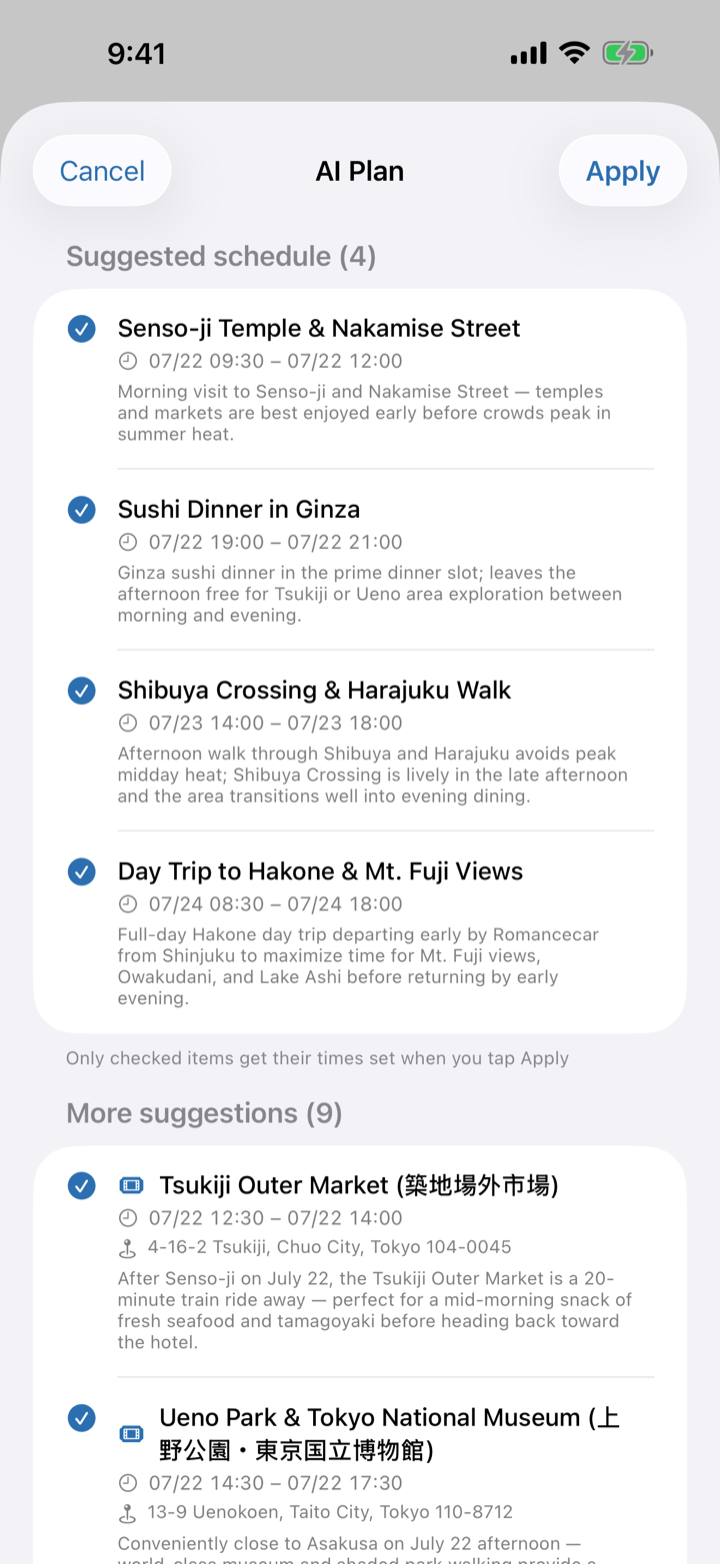
Tripfy AI day plan screen
04. AI plans your free timeSights & meals that fit your day
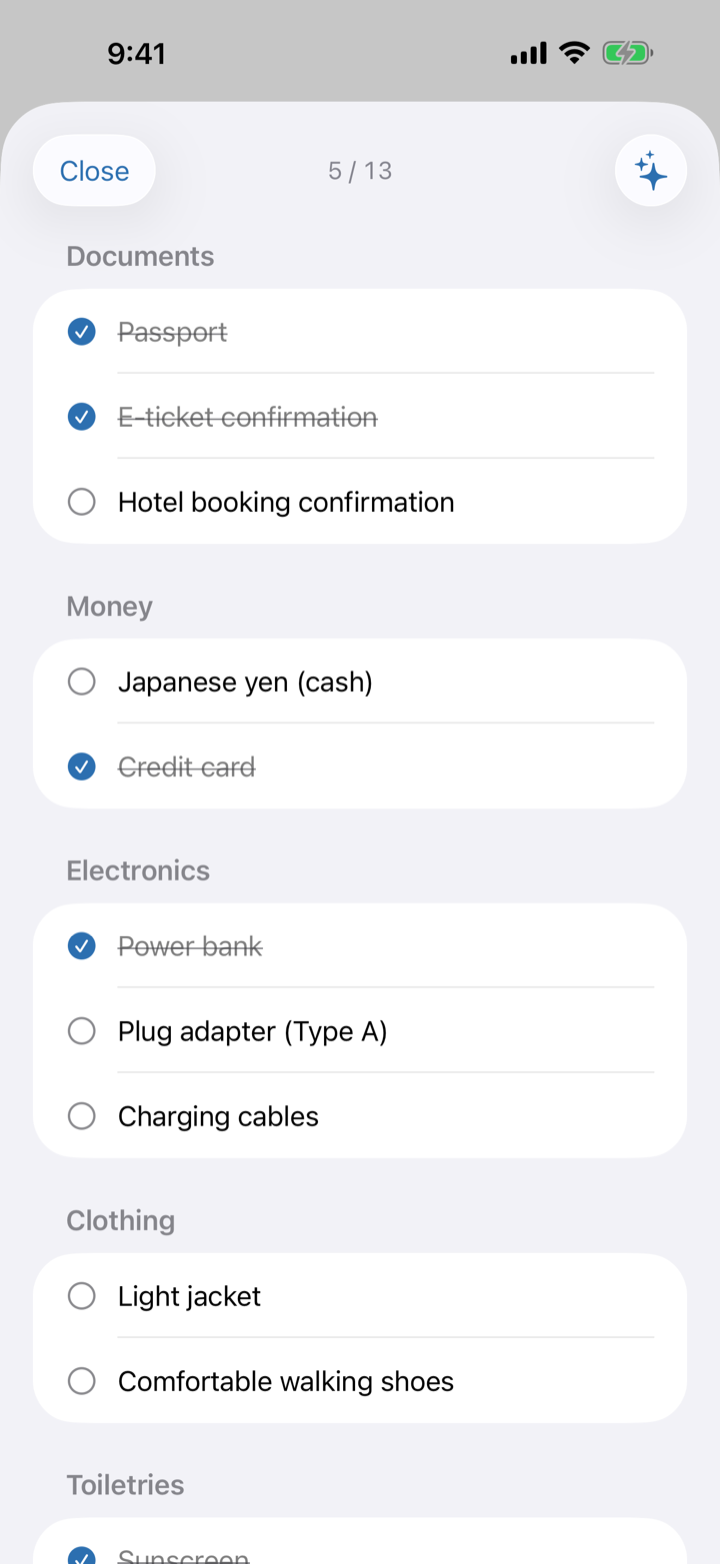
Tripfy AI packing list screen
05. AI packing listBuilt for your destination & season
Tripfy travel documents screen
06. Documents in one placeOriginals work offline
Pricing

Free at its core.
Go Pro for more AI.

Creating and managing trips is free, with a monthly AI allowance included. Heavy AI users can upgrade to Tripfy Pro.

Free

$0
  • Create and edit trips, timeline & map
  • Original documents, checklists, widget & iCloud sync
  • 5 AI imports per month
  • 1 AI day plan & 1 AI packing list per month
7-day free trial

Tripfy Pro

$2.99/mo
or $17.99/year — save 50%
  • Everything in the free plan
  • Unlimited AI imports, day plans & packing lists
  • Fully automatic import via email forwarding

Prices may vary by region and are shown in your local currency on the App Store. Cancel anytime in your App Store account settings.

FAQ

Questions,
answered.

Where can I get Tripfy?
Tripfy is now available on the App Store. Tap any download button above to get it.
How much can I do for free?
All core features — creating and editing trips, the timeline, map and checklists — are free. AI features come with a monthly allowance (5 imports, 1 day plan and 1 packing list per month). For unlimited AI, upgrade to Tripfy Pro ($2.99/month or $17.99/year with a 7-day free trial).
What kinds of bookings can it import?
Flights, hotels, restaurants, trains, activities — any confirmation email or PDF. Both Japanese and English confirmations are supported.
Does it work offline?
Yes. Your itinerary and the original documents (emails, PDFs, images) are stored on your device, so everything stays readable in airplane mode or abroad without data. An internet connection is needed for AI import and day-plan generation.
Where is my data stored?
Your itinerary lives on your device and in your own iCloud only. The AI extraction service processes the text you send and does not store your itinerary on any server.
Can I share trips with family?
Yes. iCloud sharing lets your family or partner see the same itinerary. When someone adds a booking, it appears on everyone's timeline.
How is Tripfy related to Menufy?
Tripfy is a sibling app of Menufy, the menu-translation app by the same developer. Menufy handles what you eat on the road; Tripfy handles where you're going.
Sibling app

Eating abroad?
Meet Menufy.

Menufy — Every menu, in your language.
Snap a photo to translate any menu. Dietary alerts, point-to-order, and live currency conversion. 14 languages, pay once.
Now Available
🧳

Travel lighter
next time.

旅のすべてを、ひとつに。

Stop hunting through your inbox.
Everything about your trip, gathered in one place.

Download on theApp Store
Download on the App Store